Qube Cinema
Two big buttons: twice‑as‑fast scheduling in 3,000+ cinemas
Qube XP is the server that plays films on 3,000+ screens. I redesigned its 2005 interface for dark booths, and for projectionists who just need play and stop.
- Role
- Lead designer
- Period
- 2019 – 2025
- Team
- Me, 1 designer, 1 PM, 1 front-end engineer, 1 QA
- Partners
- Field support, L2 support
- Platform
- Cinema server, Linux
- Reading time
- 5 min
The problem
The interface dated from 2005. For fifteen years engineers added features with no design oversight.
Projectionists ranged from tech-comfortable managers to operators in their 60s who had run projectors for decades. There was no budget for upfront research.
What I found
Five to six years of field feedback, and the support engineers who handled it, were research we already had.
After launch I got visits funded: about 20 projectionists in 8–10 theatres. People with 2–3 days on the new system disliked it. People with 1–2 months preferred it. Judge a change after it settles.
The things users never mention are often the things they love most.
Key decisions
- Dark by default
- The booth is dark. The old bright screen was a lamp in a dim room.
- Status always visible
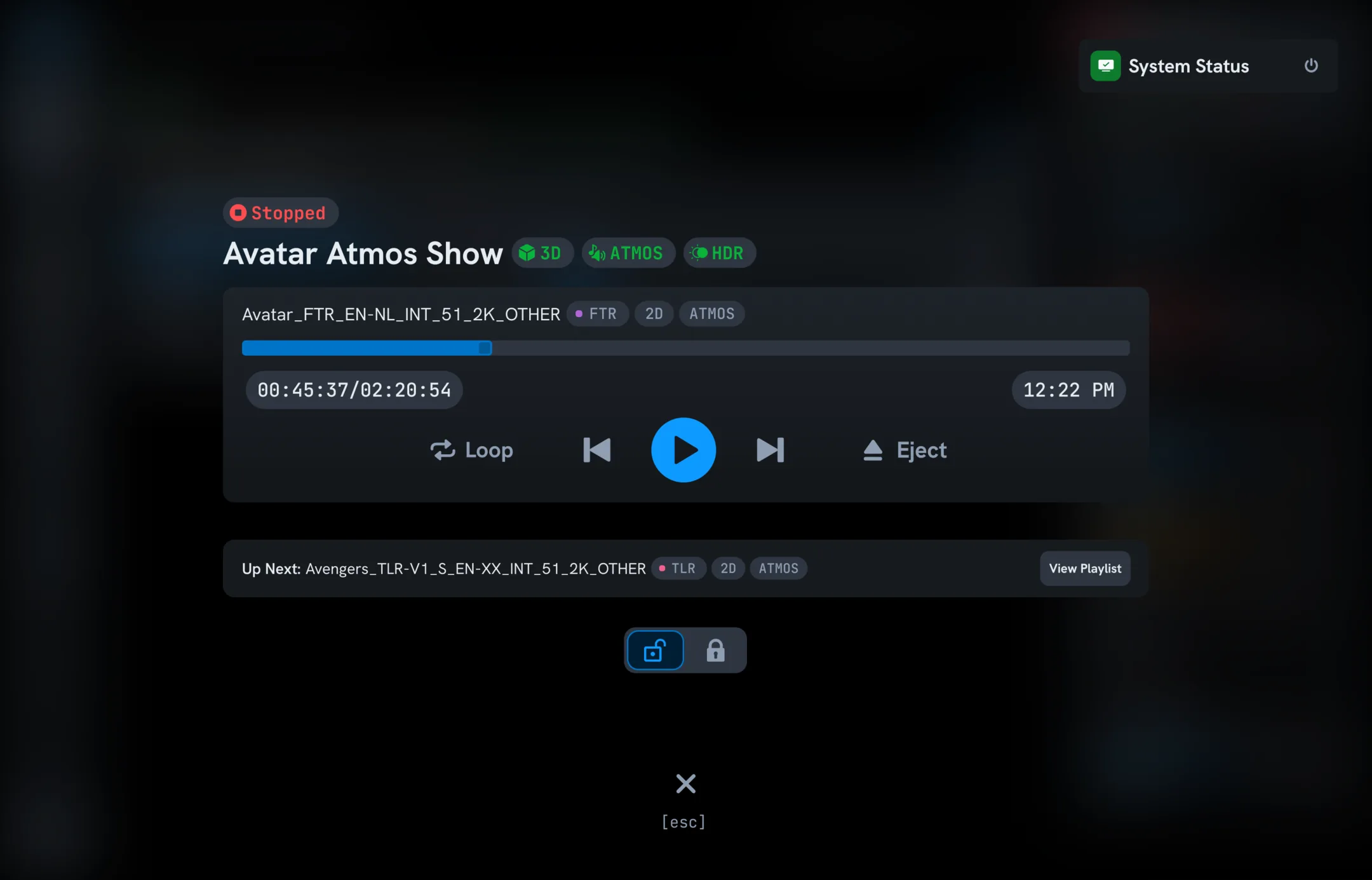
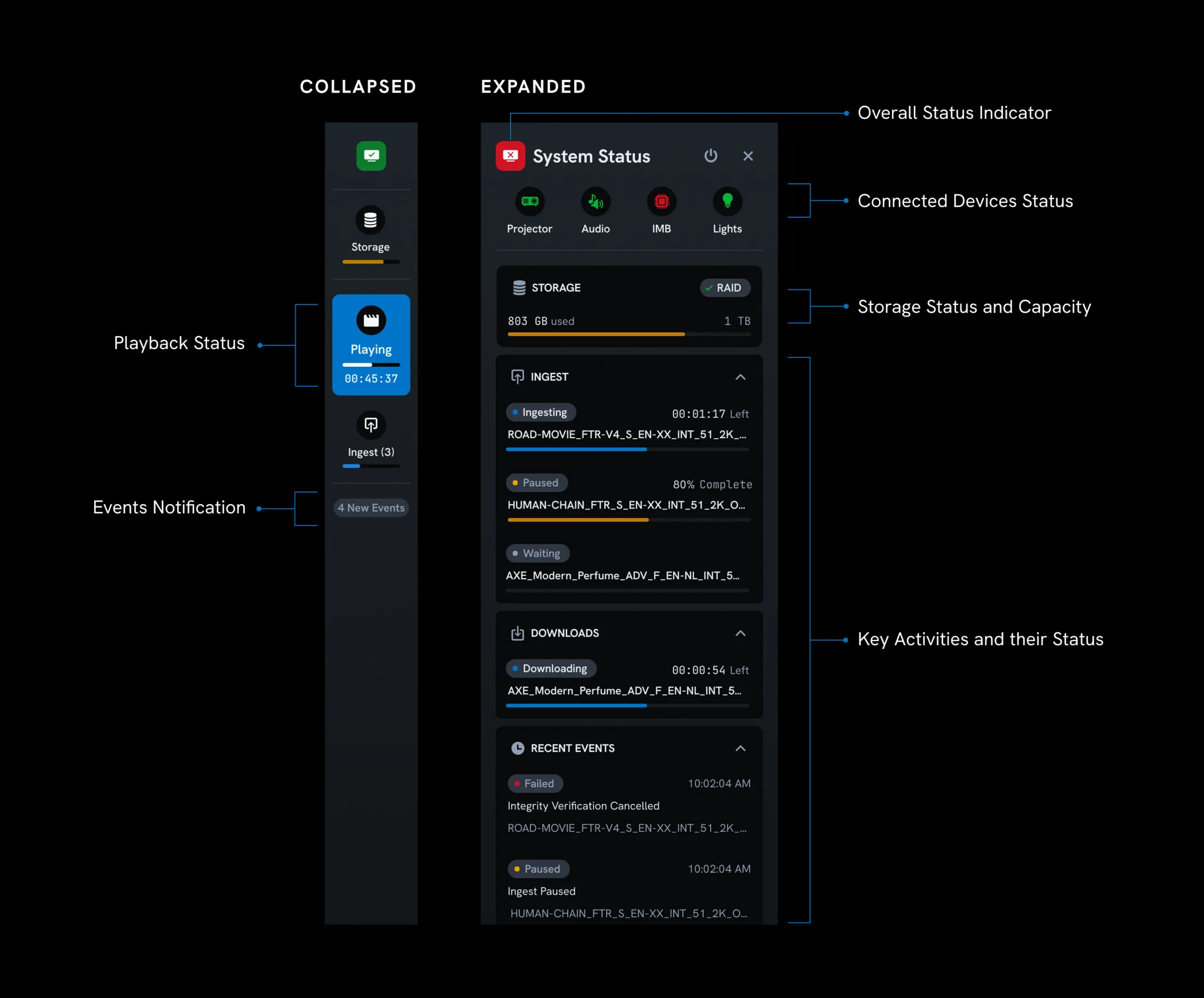
- What's playing, time left, and whether everything is healthy, without opening a menu.
- Format tags
- Automatic 2D, 3D and Atmos tags, so nobody reads file names to find out.
- Keep show times
- Theatres plan intermissions, food sales and parking around end times. We kept approximate times despite time drift and dynamic ad playlists.
- Recover from power cuts
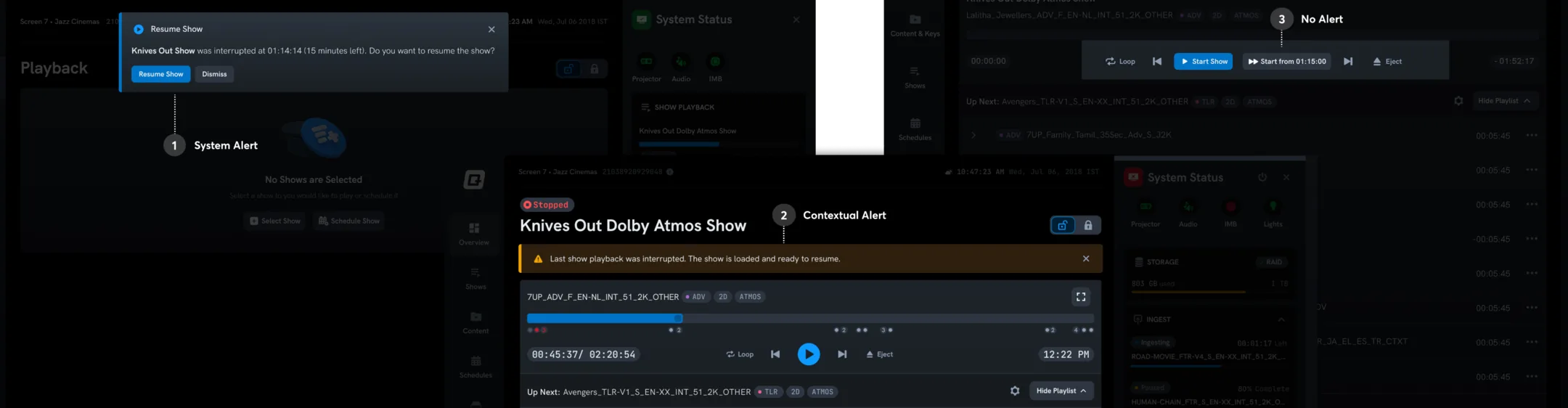
- An alert and an automatic seek to 5 seconds before the interruption. This was unsolved before.
How it's built
- Built to survive
- The project ran through COVID theatre closures, team attrition and a Windows to Linux migration that paused development. A component library, design tokens and documented user stories kept it moving.
- Names that fit
- Film package names differ by only a few characters, so they show full width by default, with resizable columns where they can't.
- Small team, long project
- One front-end engineer and one QA at a time. I carried the decision history for five years and wrote it down so others could.
What I got wrong
I replaced the large play and stop buttons with a modern control layout. The feedback was immediate: where are our big buttons? For some operators, play and stop are the only controls they use all day.
I added a full-screen playback mode with oversized buttons. It became the most-used screen in the product.
Result
- 2×
- faster scheduling
- −40%
- operator errors
- 3,000+
- screens
Projectionists praised the speed, and the system finally told them what was happening without digging.
The redesigned Qube XP.
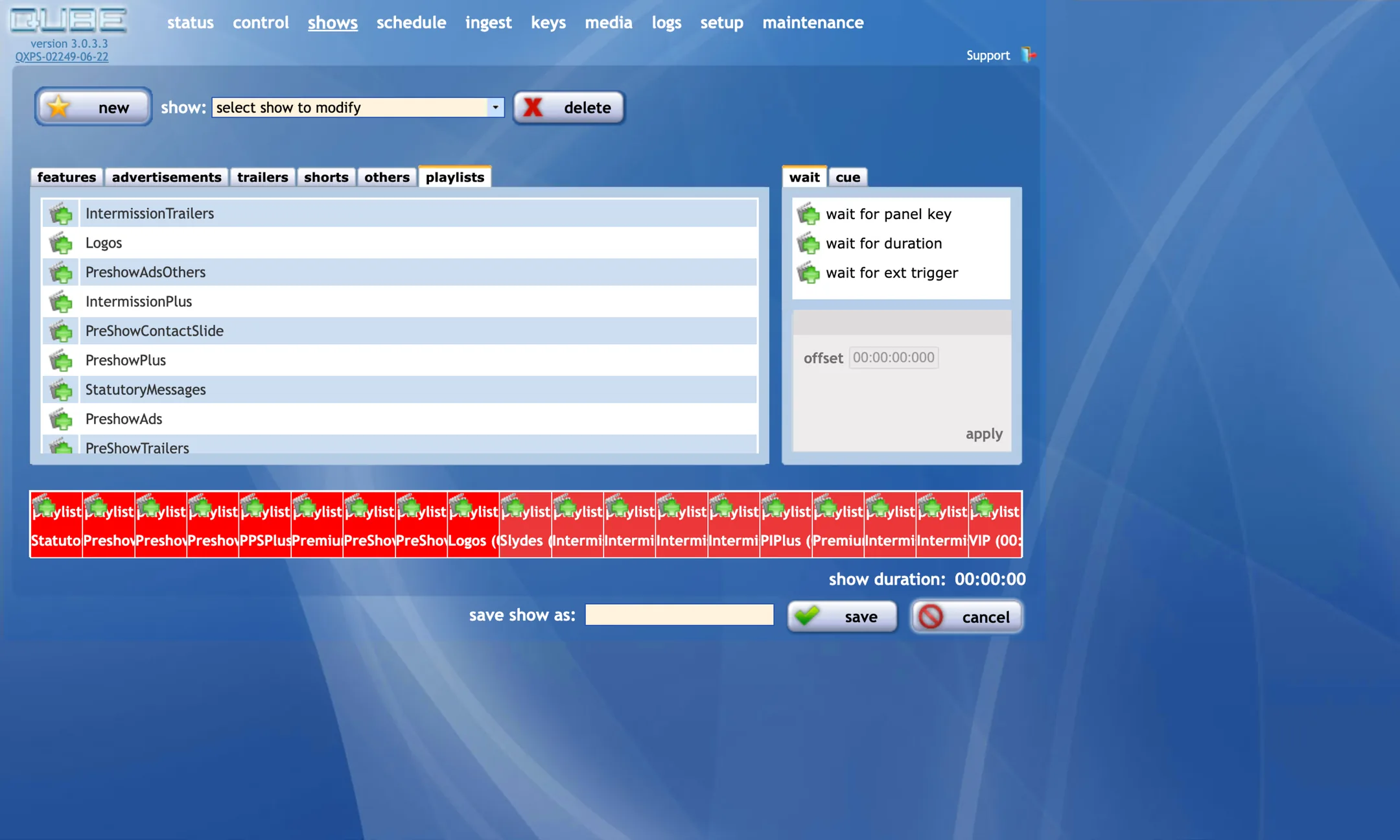
Drag to compare the 2005 interface with the redesign.
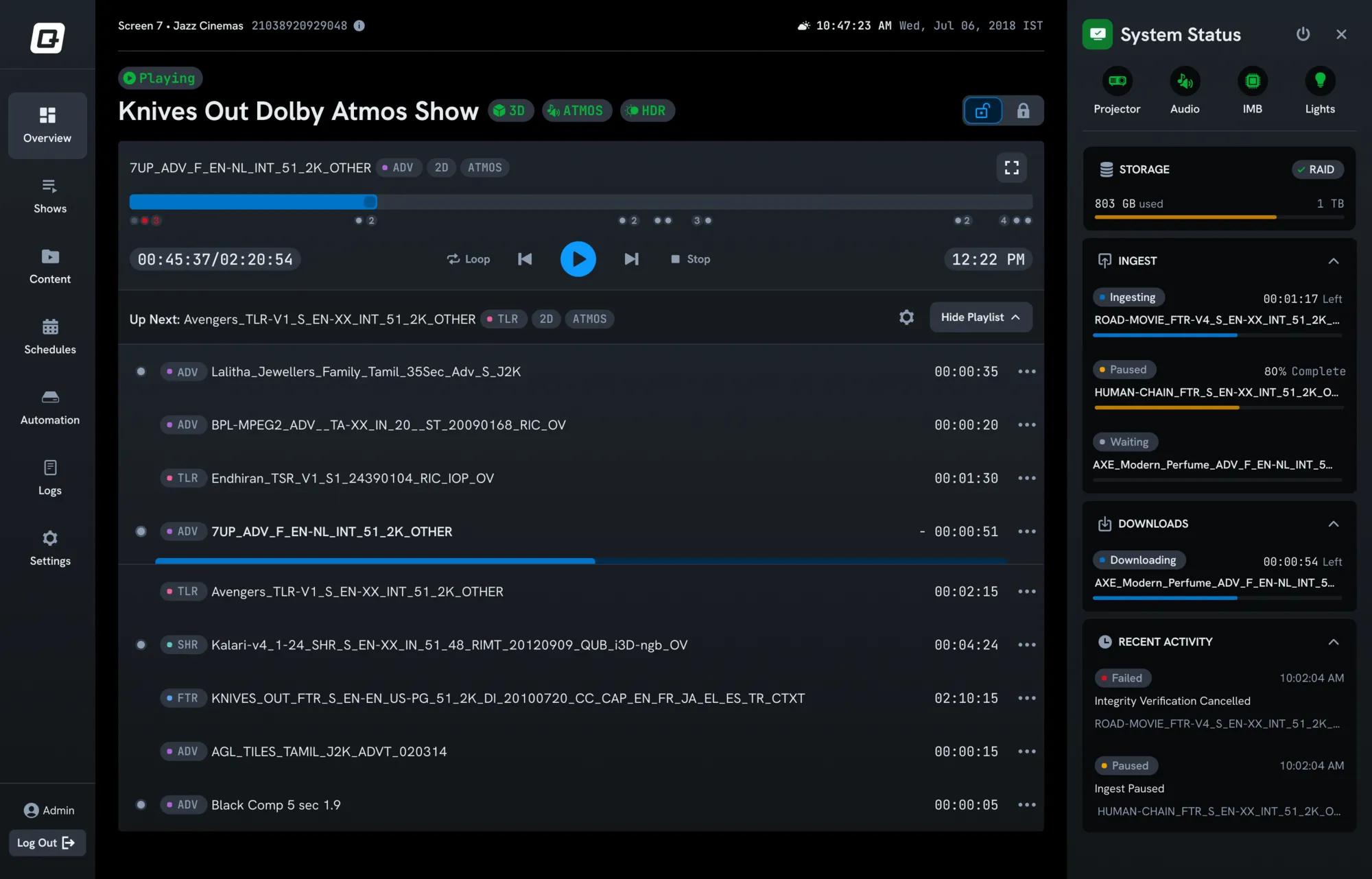
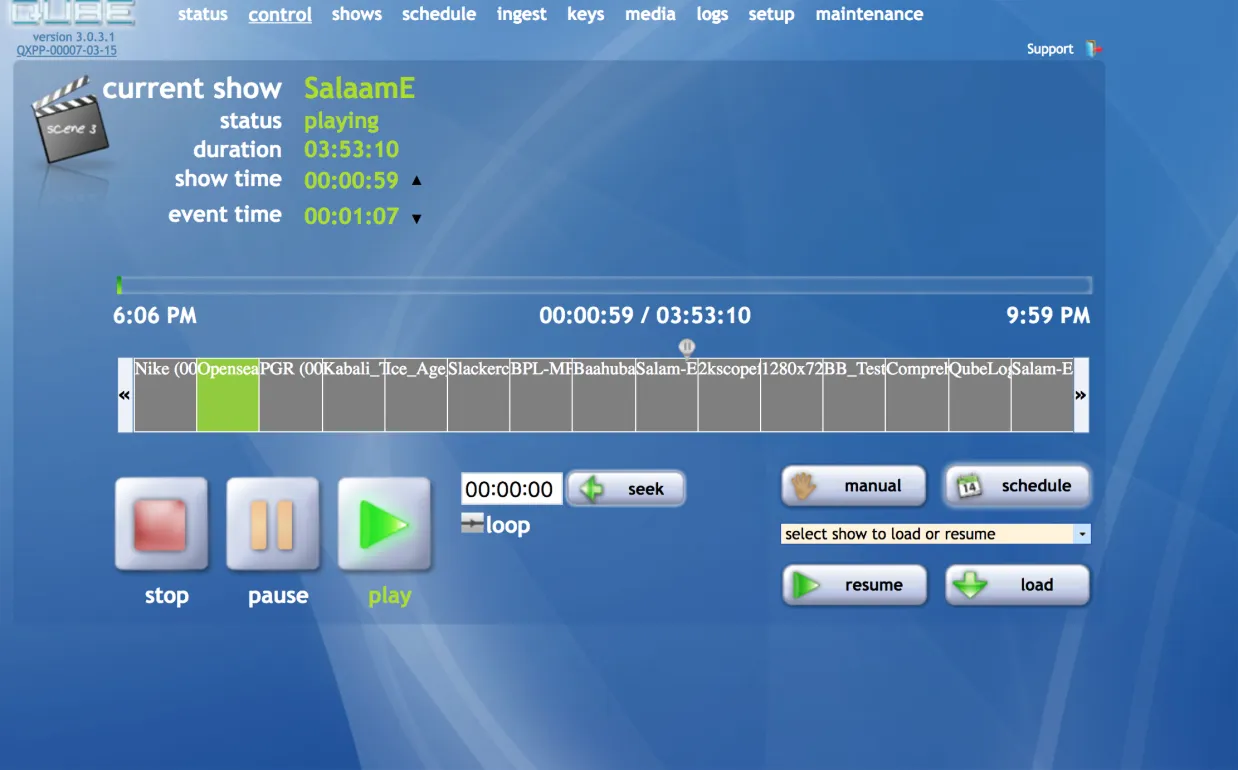
Playback, before and after.
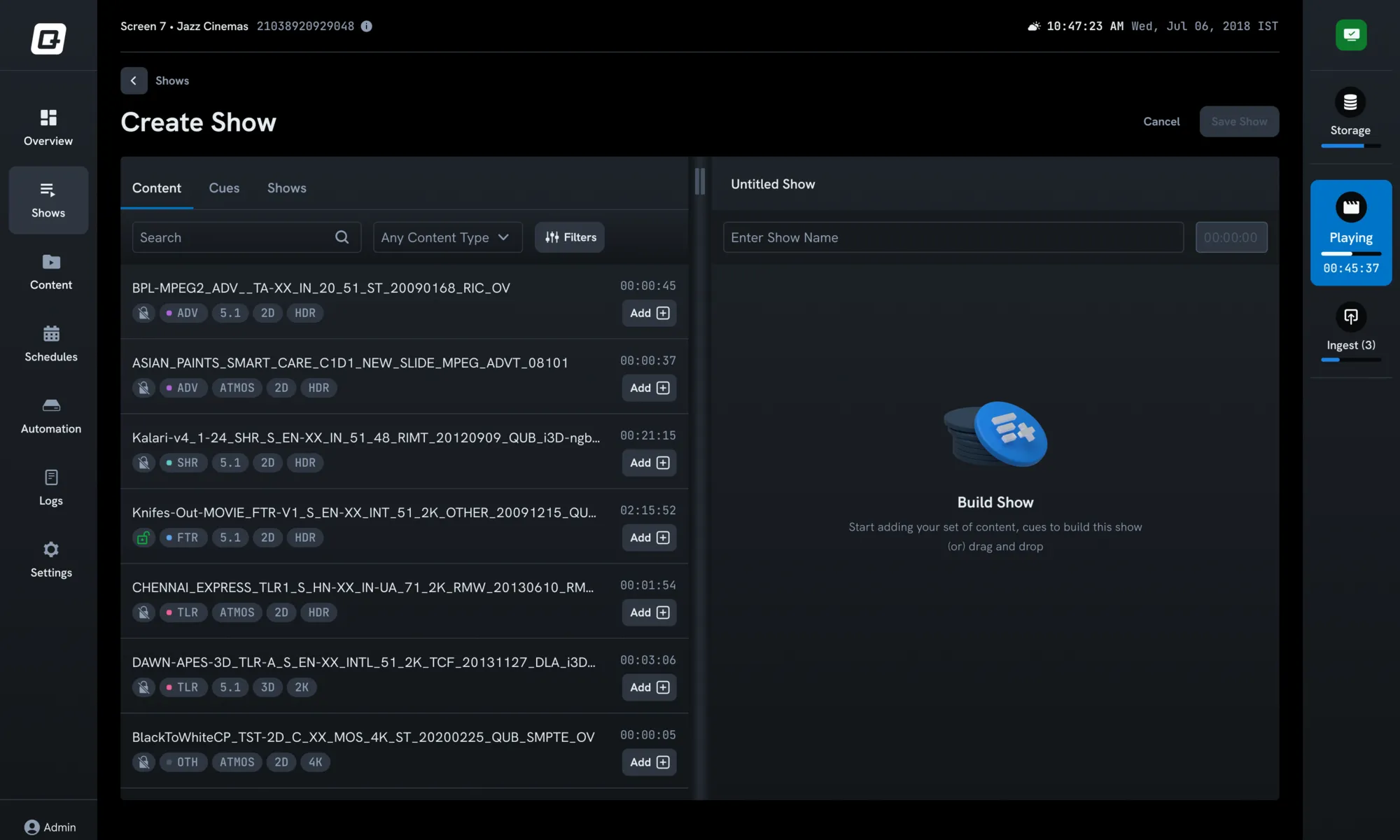
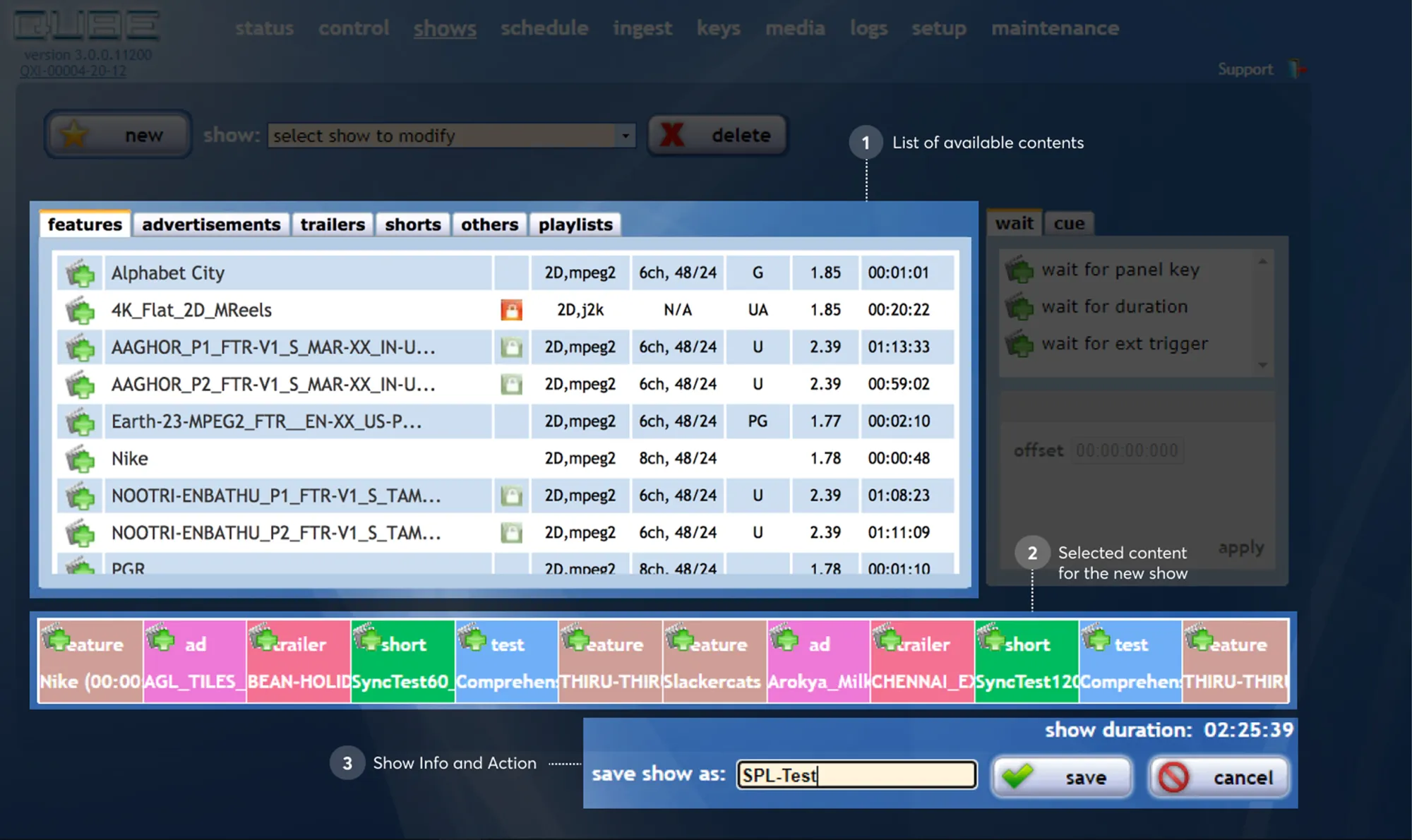
Shows page, before and after.
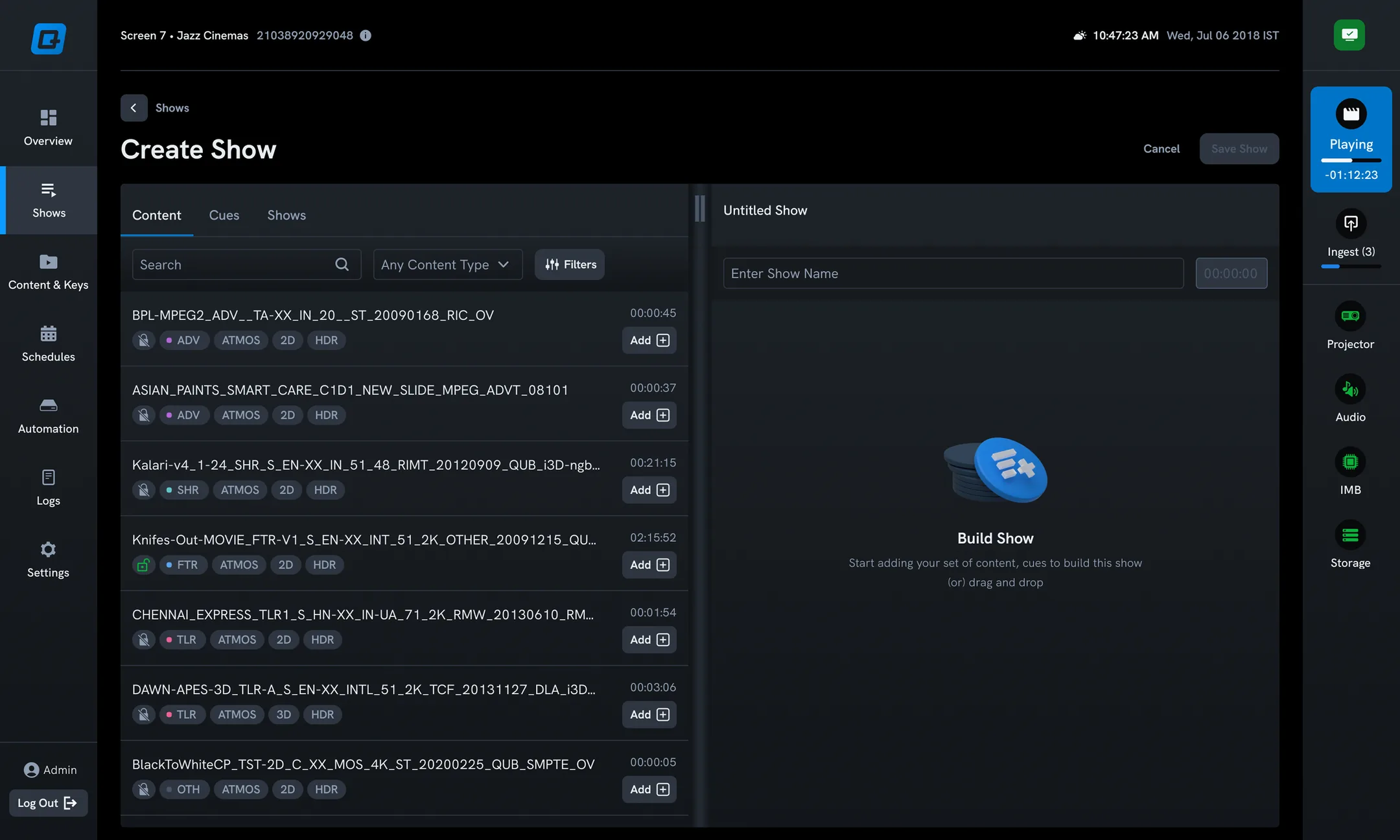
Drag and drop: content, automation cues and shows nested inside shows.
Building a show.
System status, always one glance away.
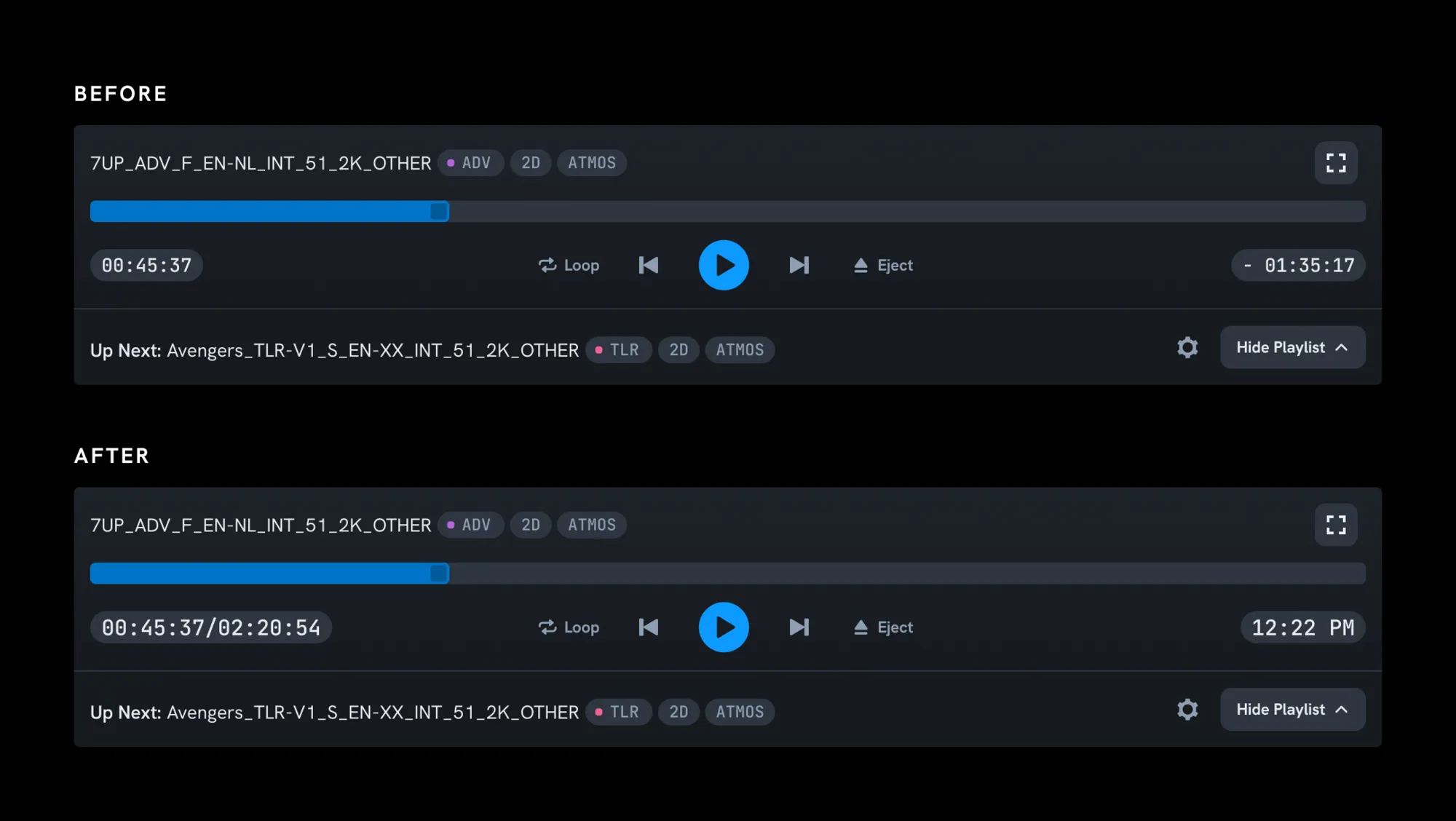
Show times kept, for intermissions, food sales and parking.